Introducing

ApexDesk

Office software, done right. Finally.

Documents, spreadsheets, presentations, PDF, databases and notebooks. All in one 70 MB program that opens before you finish clicking.

Free · No account · Built in Rust · Windows 10 and 11 · Linux

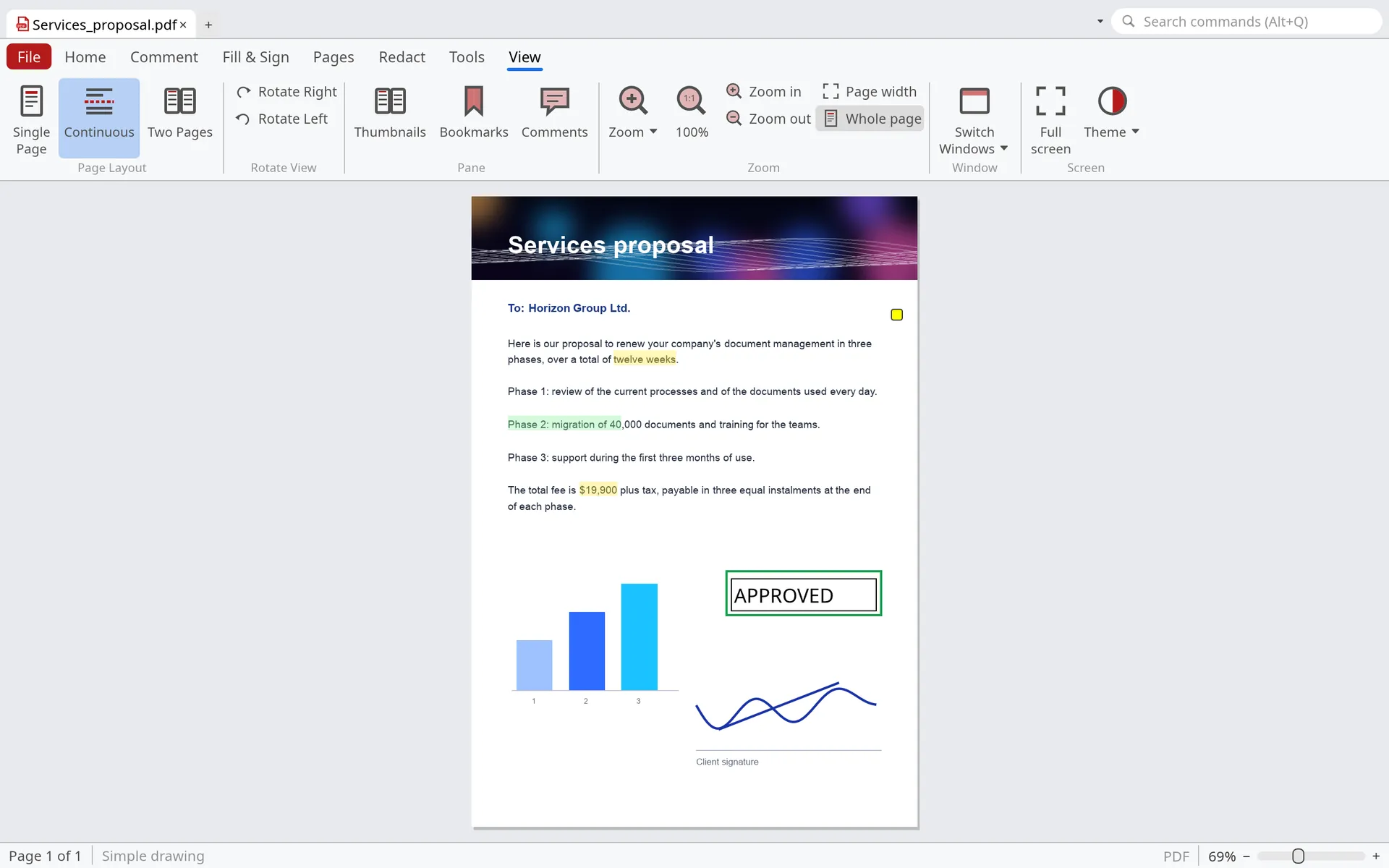
PDF with highlights, notes and an approved stamp
PDF
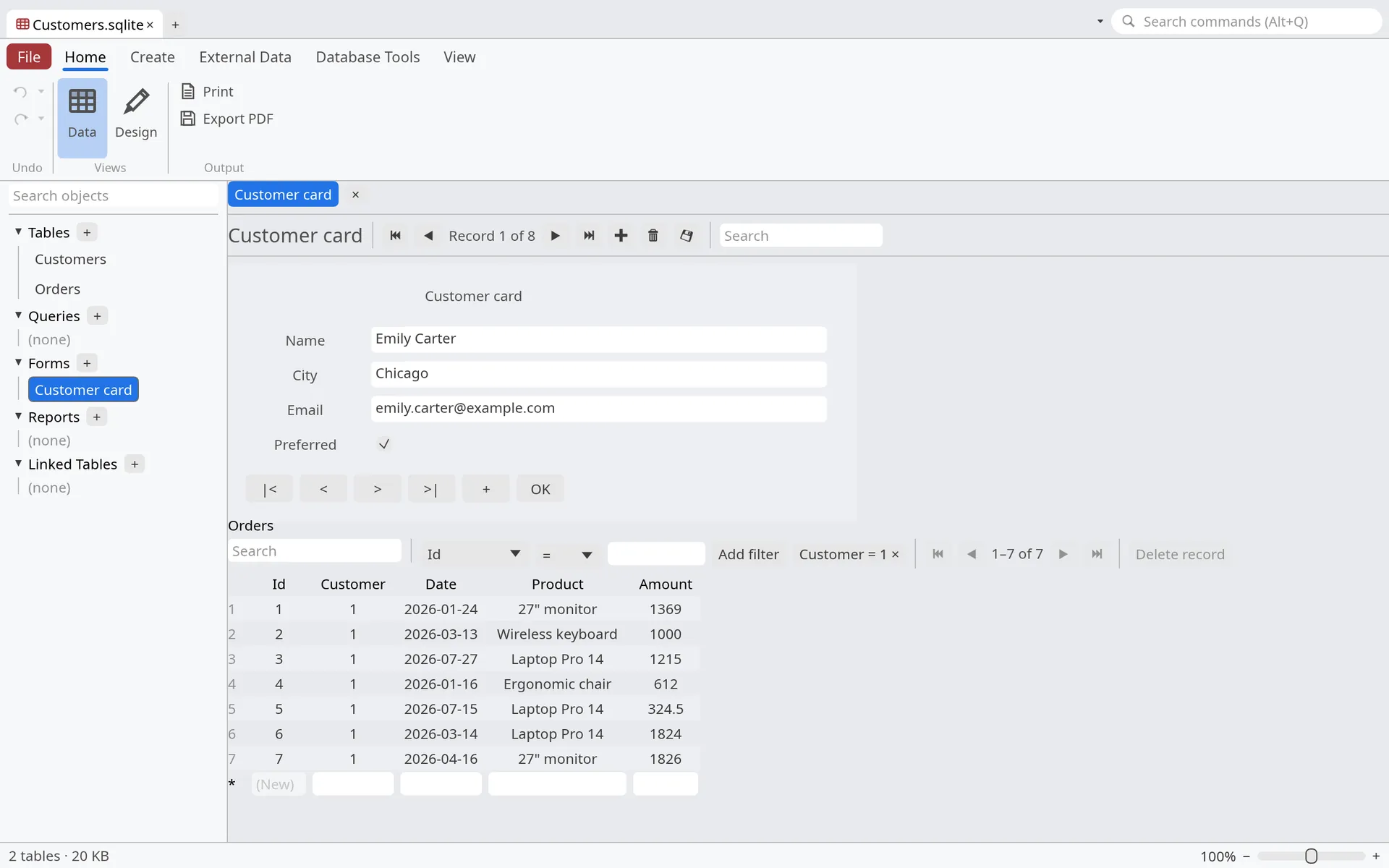
Customer database with a form and its orders
Databases
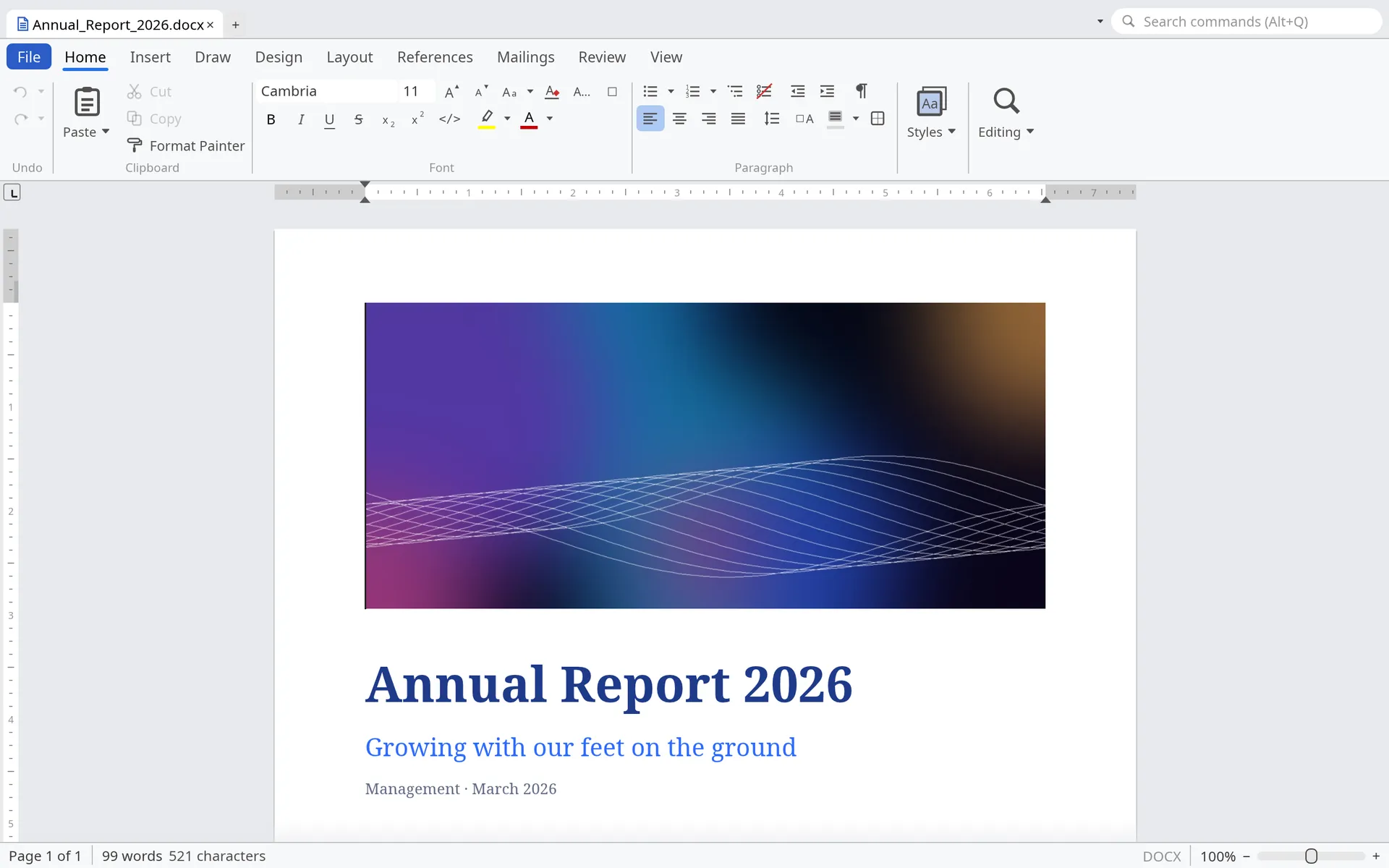
Document with the cover of an annual report
Documents
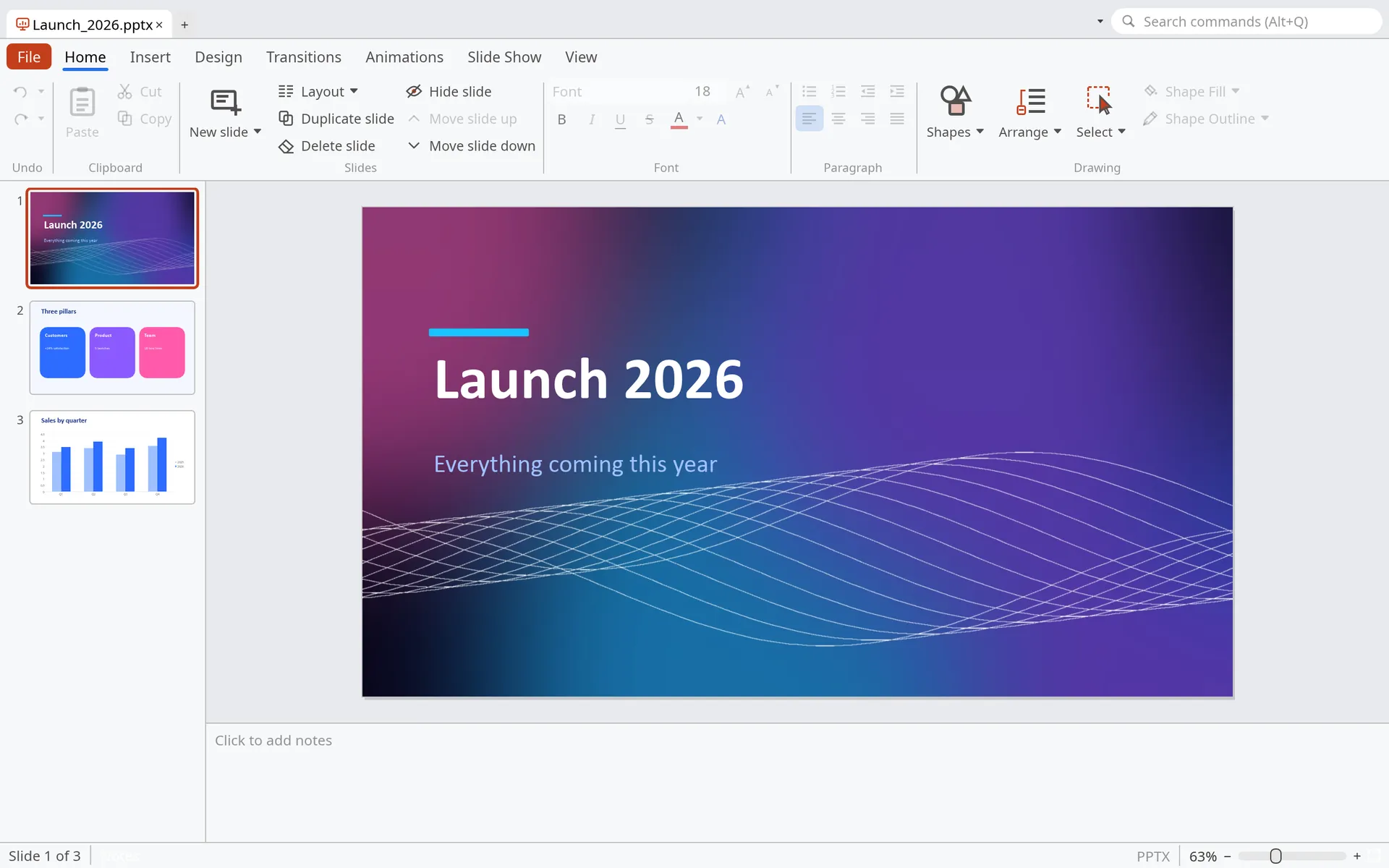
Presentation with a launch slide
Presentations
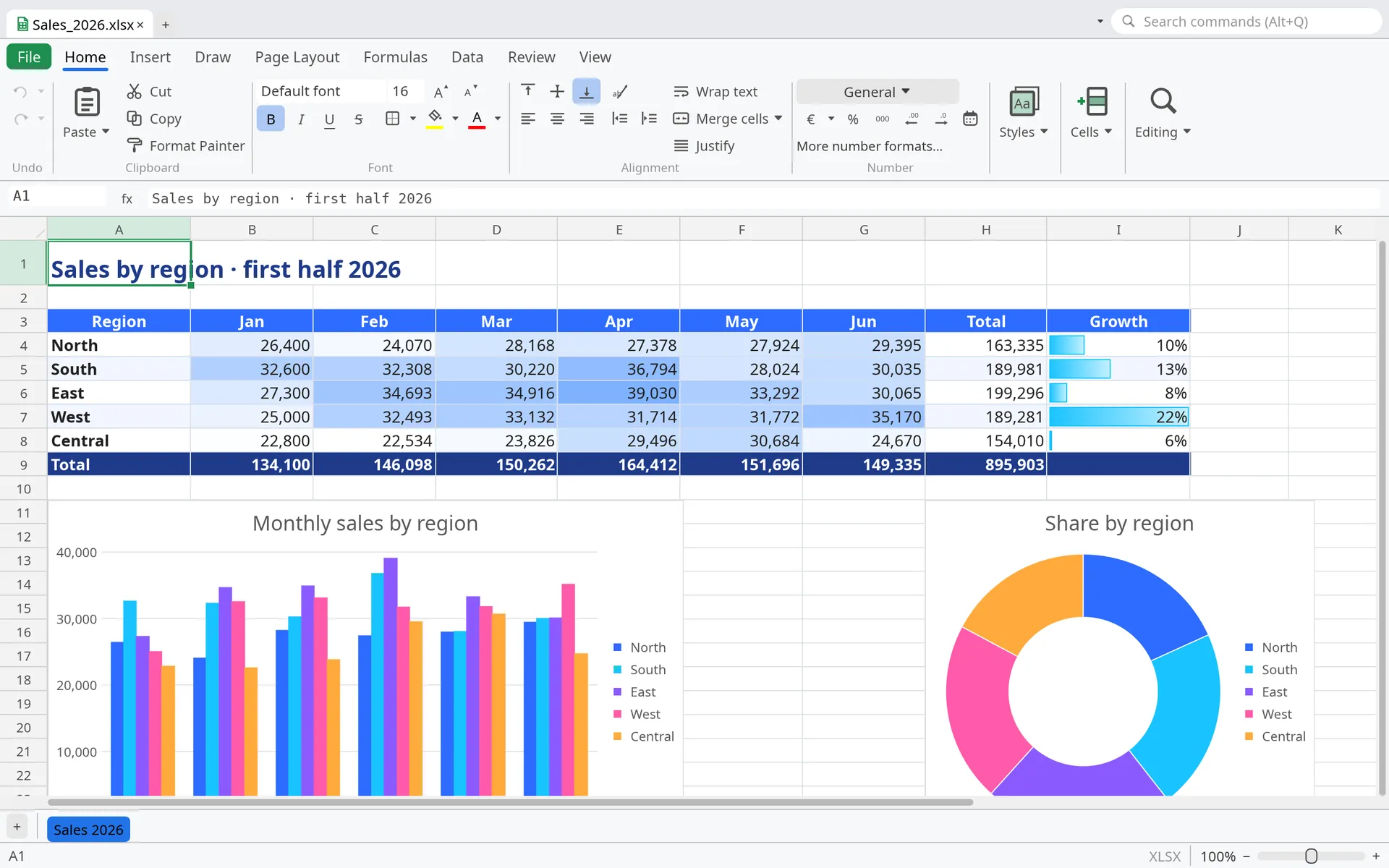
Spreadsheet of sales by region with a column chart and a doughnut chart
Spreadsheets
Performance

Open before you let go of the mouse.

What you notice every day: how long until you can start typing. Here, ApexDesk against LibreOffice and OnlyOffice on the same computer.

70MB

The whole program. All six applications in a single file.

0.2s

From double-click to work, even the first time after switching on.

142MB

Of memory with a document open. Everything else stays fast.

Opening the program

Seconds until you can start. Lower is better.

ApexDesk
0.2 s
LibreOffice
1.2 s
OnlyOffice
2.1 s

Opening a two-page letter

Seconds, double-clicking the file. Lower is better.

ApexDesk
0.3 s
LibreOffice
3.1 s
OnlyOffice
3.5 s

Disk space

Installed program. Lower is better.

ApexDesk
62 MB
LibreOffice
400 MB
OnlyOffice
1.3 GB
Microsoft 365
4 GB

Memory with the letter open

In MB. Lower is better.

ApexDesk
142 MB
LibreOffice
318 MB
OnlyOffice
1145 MB

What about Microsoft Office? It takes so long to open that, since 2025, Windows loads Word in the background as soon as you switch the computer on, so it seems faster (PCWorld, The Register).

Measured in September 2026 on a laptop with an Intel Core i9-12900H running Linux, with LibreOffice 26.2 and OnlyOffice 9.4. Time from double-click until the window is complete and still, with the program not in memory, as the first time after switching the computer on. Median of three runs. The Microsoft 365 size is the one Microsoft lists in its requirements.

Why it's different

Made so you never wait.

It opens right away, doesn't choke on big files and runs well even on that old laptop in your drawer.

Opens instantly

A native program written in Rust: double-click and you’re already typing, with no loading screens.

Takes up very little

All six applications in 70 MB. Your computer stays fast while it’s open.

Works offline

Everything happens on your computer. On a train, on a plane or on a closed network.

No account, no tracking

Install it and work. Your files never leave your computer unless you send them.

You don’t lose your work

If the power goes out or the computer shuts down, you get back what you were doing when you open it again.

Old computers too

No graphics card or new computer needed. It runs just as well on a laptop that’s years old.

What it leaves out

No online services

No accounts, no cloud, no servers of ours for your files to pass through. Everything runs on your computer.

No telemetry

It sends no usage data and nothing about your documents. It doesn’t even check for updates on its own.

No AI

There is no artificial intelligence built in, and your text is never sent to any model. What you write stays yours.

Applications

Six applications. One program.

Everything in one window with tabs: go from a spreadsheet to a document without switching programs.

Watch the 70-second tour

Documents

Everything you expect from a word processor

  • Paginated editing with styles, multilevel lists, columns, sections and watermarks.
  • Tables, images with text wrapping, shapes, equations and editable charts.
  • Tables of contents, footnotes, cross-references, citations and bibliography.
  • Track changes, threaded comments, document compare and spelling.
  • Mail merge, labels and envelopes; export to PDF, HTML and EPUB.
  • .docx
  • .odt
  • .rtf
  • .md
  • .txt
  • .doc
Document with the cover of an annual report
Spreadsheets

The formulas and charts you use every day

  • About 370 functions, including Excel’s newer ones: FILTER, SORT, UNIQUE…
  • Styled tables, pivot tables, filters, validation and conditional formatting.
  • Column, line, pie, waterfall, histogram, radar charts and more.
  • Goal seek, scenarios, Solver and forecast sheets.
  • Projects inside the sheet: Gantt, critical path, resources and costs.
  • .xlsx
  • .xlsm
  • .ods
  • .csv
  • .xls
  • .xlsb
Spreadsheet of sales by region with charts
Presentations

Design, rehearse and present

  • Themes, masters and slide layouts; slide sorter and Outline view.
  • Transitions, including one that morphs a slide into the next, and animations.
  • Presenter view with notes, clock and next slide; pen and laser pointer.
  • Video and audio, tables, charts, equations and editable diagrams.
  • Export to PDF, to images and to audience handouts.
  • .pptx
  • .ppsx
  • .odp
  • .ppt
Presentation with a launch slide
PDF

Work with PDF without leaving the program

  • Thumbnails, bookmarks, search and presentation mode.
  • Highlights, notes, text boxes, freehand drawing, shapes and stamps.
  • Fill in forms and sign, including with a digital certificate (PAdES).
  • Real redaction: what you hide is removed from the file, not just covered.
  • Merge, split and compare, or turn a PDF into an editable document.
  • .pdf
  • PDF/A
PDF with highlights, notes and an approved stamp
Databases

Related tables, queries, forms and reports

  • Build your tables (customers, orders, invoices) and link them together.
  • See each customer’s orders at a glance, on the same screen.
  • Search and summarise your data by dragging fields, no code needed (or in SQL, if you prefer).
  • Forms and reports with wizards, grouping and totals.
  • Imports Access and dBase; connects to PostgreSQL, MySQL and SQL Server.
  • SQLite
  • .accdb
  • .mdb
  • .dbf
Customer database with a form and its orders
Notebooks

Notes that link to each other

  • Sections and pages with rich text, tables, pictures and files.
  • Links between pages with [[, backlinks and a graph of the whole notebook.
  • Tasks from every page in one list, or as a board with your own columns.
  • Canvas pages, a timeline, page history and password-locked sections.
  • Imports Obsidian vaults; exports to Markdown, DOCX and PDF.
  • .apexnote
  • .md
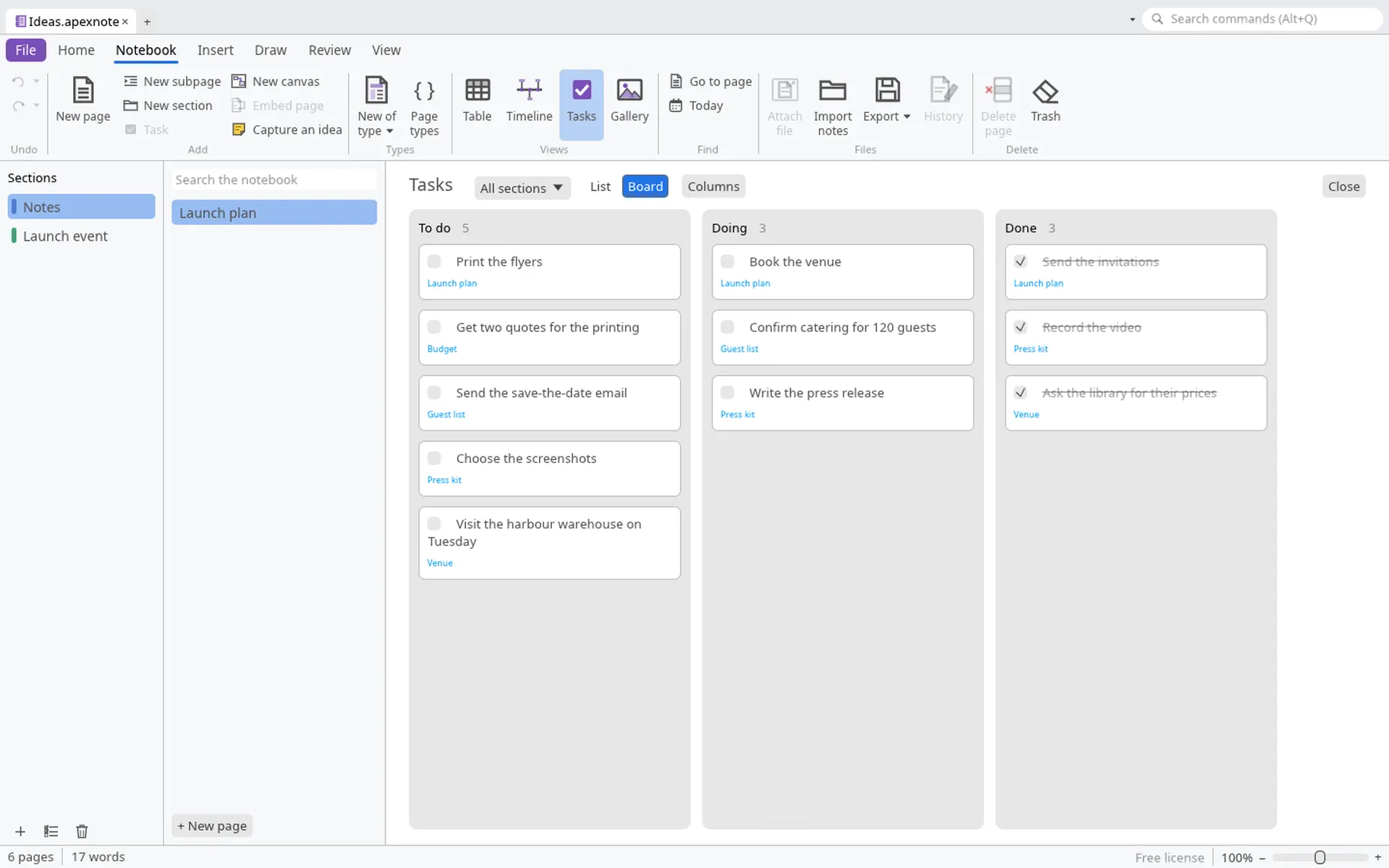
Notebook with linked pages and a task board
Formats

Your files, just as they are.

Works with Microsoft Office and LibreOffice files. What it doesn't understand, it keeps when saving back to the same format.

Formats each application opens and saves
ApplicationOpens and savesOpens onlyExports
Documents.docx .docm .dotx .odt .fodt .rtf .md .txt.doc .wpsPDF, PDF/A, HTML, EPUB
Spreadsheets.xlsx .xlsm .xltx .ods .fods .csv .tsv.xls .xlsb .etPDF, HTML, Markdown
Presentations.pptx .pptm .ppsx .potx .odp .otp.pptPDF, PNG, JPEG
PDF.pdf with annotations, forms and signaturesImages, editable document
DatabasesSQLite.mdb .accdb .dbfCSV, spreadsheets, PDF
Notebooks.apexnoteObsidian vaults (.md)Markdown, DOCX, PDF
For business

Your company’s office suite, too.

What makes ApexDesk light at home makes it cost-effective at work: computers that last longer, data that stays in-house and nothing to migrate. Free for good for companies with fewer than 10 employees, and free for every other company until 31 December 2027.

No migration

Opens and saves the .docx, .xlsx and .pptx files you already have, and keeps what it doesn’t understand when saving. Nobody has to change how they work.

Your data stays in-house

No account or cloud needed: files never leave the computer. Easier GDPR compliance and better protection for confidential information.

Longer-lasting hardware

Light and no graphics card needed: no need to replace the computers you have, and it works on remote desktops too.

Managed from one place

With a business license, IT locks settings such as macro security, default formats and the proxy with Group Policy.

Signatures and confidentiality

Sign documents and PDFs with a digital certificate, and redact PDFs so the data is removed from the file, not just covered.

Connected to your data

Connects to your company databases (SQL Server, MySQL, PostgreSQL) and opens old Access ones.

Batch work

With a business license, convert or recalculate hundreds of files at once, without opening them one by one.

Ten languages

One tool for the whole workforce: English, Spanish, French, German, Italian, Portuguese, Japanese, Korean and Chinese (simplified and traditional).

Free to try, for real

Every company can use the whole program free until 31 December 2027: time to try it on real work, with no forms or keys.

Try it. It takes less time than reading this.

Free, no account, no time limit for home use. Available for Windows and Linux.